If a product film got one LinkedIn post and was never used again, the shoot was probably planned for one edit. Plan every output before the day: a hero film, captioned cut-downs, vertical clips, a silent stand loop and a technical walk-through. Make each one work with the sound off, keep website video light, give the film its own page, and measure what viewers do next.
A lot of companies commission a product film, put it on YouTube, embed it on the home page, post it once on LinkedIn and then don’t use it again. That’s a lot of money for one post. The same day of filming, planned properly, can feed your website, social channels, sales presentations and trade show stand for months.
The key is deciding what you need from the footage before the shoot, not after. Our post on things to consider before filming a new product covers the wider planning. This one is about the outputs, and how to get each of them working properly.
Quick diagnosis
Why isn't your product film earning its keep?
- It got one post and was never used againOnly one edit was plannedSee the fix
- People scroll past it in the feedIt only works with the sound onSee the fix
- The home page got slower after it went upIt's too heavy for the pageSee the fix
- It never shows up in GoogleIt has no page of its ownSee the fix
- Sales and the stand team can't use itNo short or silent versionsSee the fix
- No idea whether it brought in enquiriesNothing was measuredSee the fix

Only one edit was planned
Start by listing every place the video will be used and what each one needs. For most of our engineering and maritime clients it looks roughly like this:
Product video
One shoot, many uses
Typical outputs from a single product shoot. Decide which you need before the day, so the footage for each gets captured.
| Output | Length | Ratio | Used on | Sound |
|---|---|---|---|---|
| 1Hero film | 60 to 120 sec | 16:9 | Product page, sales meetings | On, with captions |
| 2Feed cut-downs | 15 to 30 sec | 4:51:1 | LinkedIn feed | Silent first, burnt-in captions |
| 3Vertical clips | 15 to 45 sec | 9:16 | LinkedIn, Instagram, mobile | Silent first |
| 4Stand loop | 30 to 60 sec | 16:99:16 | Trade show screens | None |
| 5Technical walk-through | 3 to 8 min | 16:9 | Product page, training, distributors | On, captions and transcript |
| 6Header loop | 10 to 20 sec | 16:9 | Home or product page | Muted, heavily compressed |
| 7Stills | n/a | Any | Website, datasheets, press | n/a |
Lengths are typical starting points, not rules.
Each of these needs slightly different footage. The vertical versions need shots framed for a tall crop. The trade show loop needs strong visuals that carry the story on their own. The technical walk-through needs close-ups of controls, connectors and assembly steps that would be too slow for the hero film. If the crew knows all of that on the day, it costs very little extra to capture. If they don’t, you’ll be trying to crop a landscape shot into a vertical one and losing half the product.
Book photography for the same day too. We cover why in things to consider before filming a new product.
It only works with the sound on
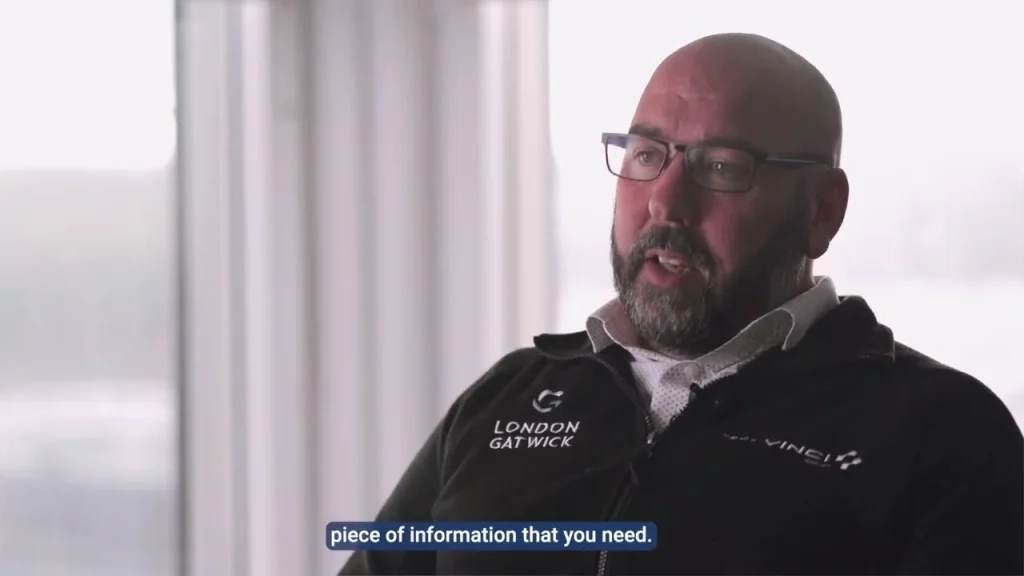
Many people will first see your video muted, whether it autoplays on your website or in their LinkedIn feed. Browsers only allow autoplay when video is muted, as Chrome’s autoplay policy explains. So the film has to make sense without a voiceover.
Sound off by default
How most people first see your film
In a feed, on a phone, with no sound. If the film only makes sense with the voiceover, most viewers never get the point.
Write the captions as part of the script, and check every cut-down with the sound off before it goes out.
Captions are the other half of this. They let people follow the film with the sound off, and they’re an accessibility requirement: the W3C’s WCAG 2.2 guidelines require captions for pre-recorded video with audio at the most basic level of conformance. The W3C’s guide to making audio and video accessible explains the options clearly, including transcripts and audio description.
You can burn captions into the video, or upload them as a separate file. Separate caption files (usually SRT) can be turned on and off, and LinkedIn, YouTube and most video players support them. Burnt-in captions are more reliable across platforms and can be styled to match your brand. For short social cut-downs we usually burn them in. For longer films we provide a caption file as well.
It slows your website down
Video is the quickest way to make a web page heavy. A few rules keep it under control:
- Background or header loops should be short (10 to 20 seconds), muted, compressed hard and set to show a still image until they load.
- Longer films should be hosted on YouTube or Vimeo and embedded, ideally set to load the player only when someone clicks play.
- Always set a proper thumbnail. The first frame of a film is rarely the best picture of the product.
Google’s Core Web Vitals measure how quickly the main content of a page appears and how stable it is while loading, and a large video in the header affects both. This matters even more if your customers are on ships or in the field with limited connections, which we covered in getting more from your maritime website.
Nobody can find it in search
If you want the video to appear in search results, Google’s video SEO guidance is the place to start. In short: put the video on a page where it’s the main content rather than one of ten things on the page, give it a descriptive title and description, provide a good thumbnail, and add video structured data so Google knows the details. A transcript on the page also gives search engines text to work with.
For a product film, the natural home is the product page itself. Our post on product pages for engineered equipment covers what else that page needs.
It was posted once and forgotten
For B2B engineering and defence firms, LinkedIn is often the main social channel. Upload the video directly rather than posting a YouTube link. Use a square or vertical version, as they take up more of the screen in the feed on a phone. LinkedIn’s video ad specifications list the supported sizes and recommend 4:5 for vertical ads.
Don’t post everything at once. A launch film, then a series of short clips over the following weeks, each showing one feature or answering one question, keeps the product in front of people without repeating yourself. That’s much easier to plan if you’ve shot for it. It’s the kind of thing we plan as part of a social media strategy.
It doesn't work on a stand or in a meeting
A stand screen is usually watched from a few metres away, for a few seconds, in a noisy hall. Use a silent loop with large on-screen text, strong product shots and nothing that depends on a voiceover. If your stand uses portrait screens, you’ll need a vertical edit for those too.
Give the sales team the short cut-downs and the technical walk-through as files they can play offline on a laptop or tablet. Venue Wi-Fi can’t be relied on, and neither can the connection in a customer’s meeting room.
Nobody knows if it worked
Views on their own don’t tell you much. More useful measures are how much of the video people watch, how many go on to the product page or the contact page, and whether enquiries mention it. LinkedIn’s post analytics show plays and watch time, YouTube Studio shows audience retention for each video, and on your own site you can track plays and clicks from the video page to the contact page as events. Set that tracking up before the launch, not after, so you have a baseline. Our analytics and reporting work usually includes this.
If you’ve got a product launch coming up, we can plan the shoot, the edits, the motion graphics and the rollout together. See our videography service or get in touch.
Common questions
How long should a product video be?
It depends where it will be shown. As a starting point: 60 to 120 seconds for a hero film, 15 to 30 seconds for feed cut-downs, 10 to 20 seconds for a website header loop, and 3 to 8 minutes for a technical walk-through.
Do product videos need captions?
Yes. Many people watch with the sound off, and WCAG 2.2 requires captions for pre-recorded video with audio at level A. Burnt-in captions work everywhere, while a separate SRT file can be switched on and off.
Should we upload video to LinkedIn or share a YouTube link?
Upload it directly, so it plays in the feed and people don’t have to leave LinkedIn to watch it. You can add captions and see LinkedIn’s own figures for plays and watch time.